186×
daily phone checks
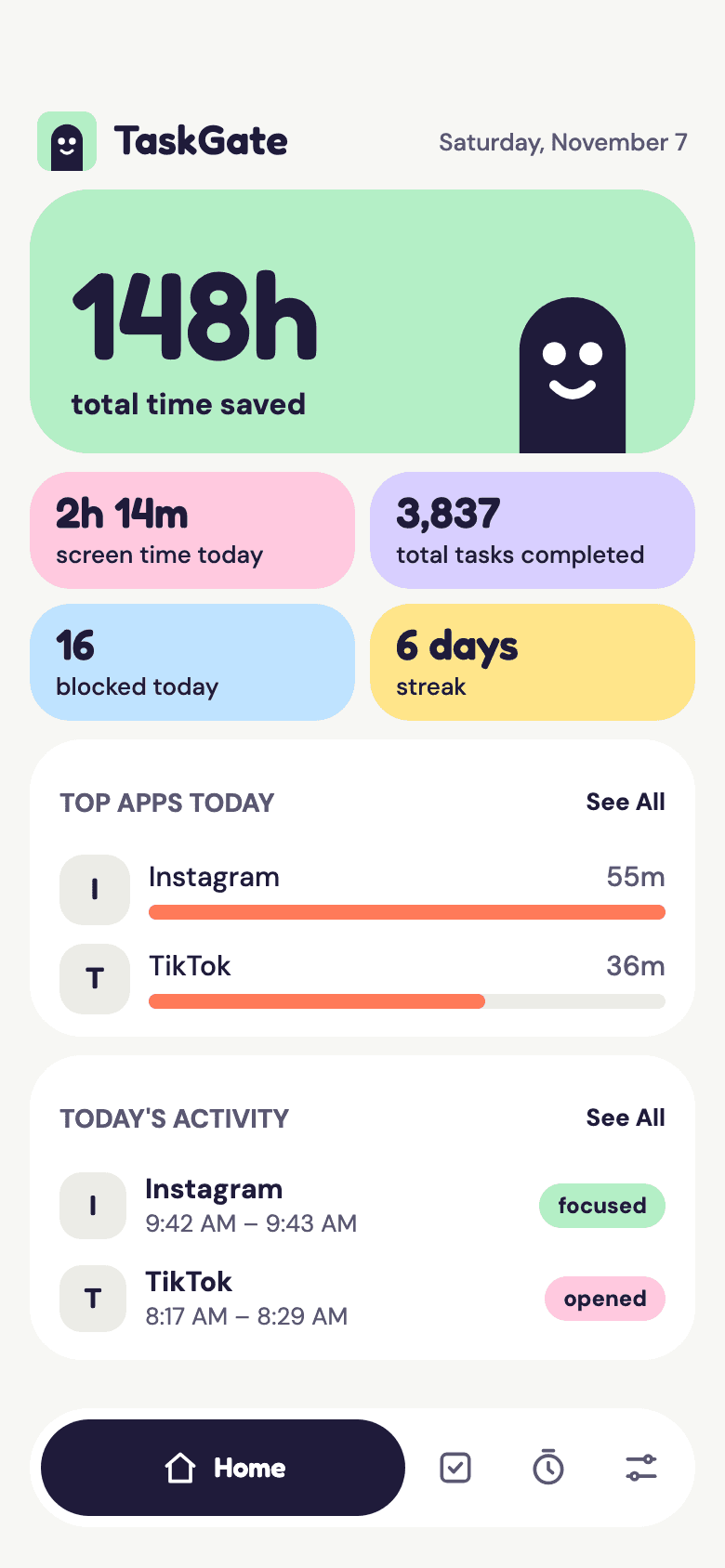
TaskGate intercepts impulsive app opens and asks for a quick task first. Breathe, stretch or reflect, then choose what happens next.
No account needed.
186×
daily phone checks
57%
reduction with friction
20–45s
for a task, then you choose
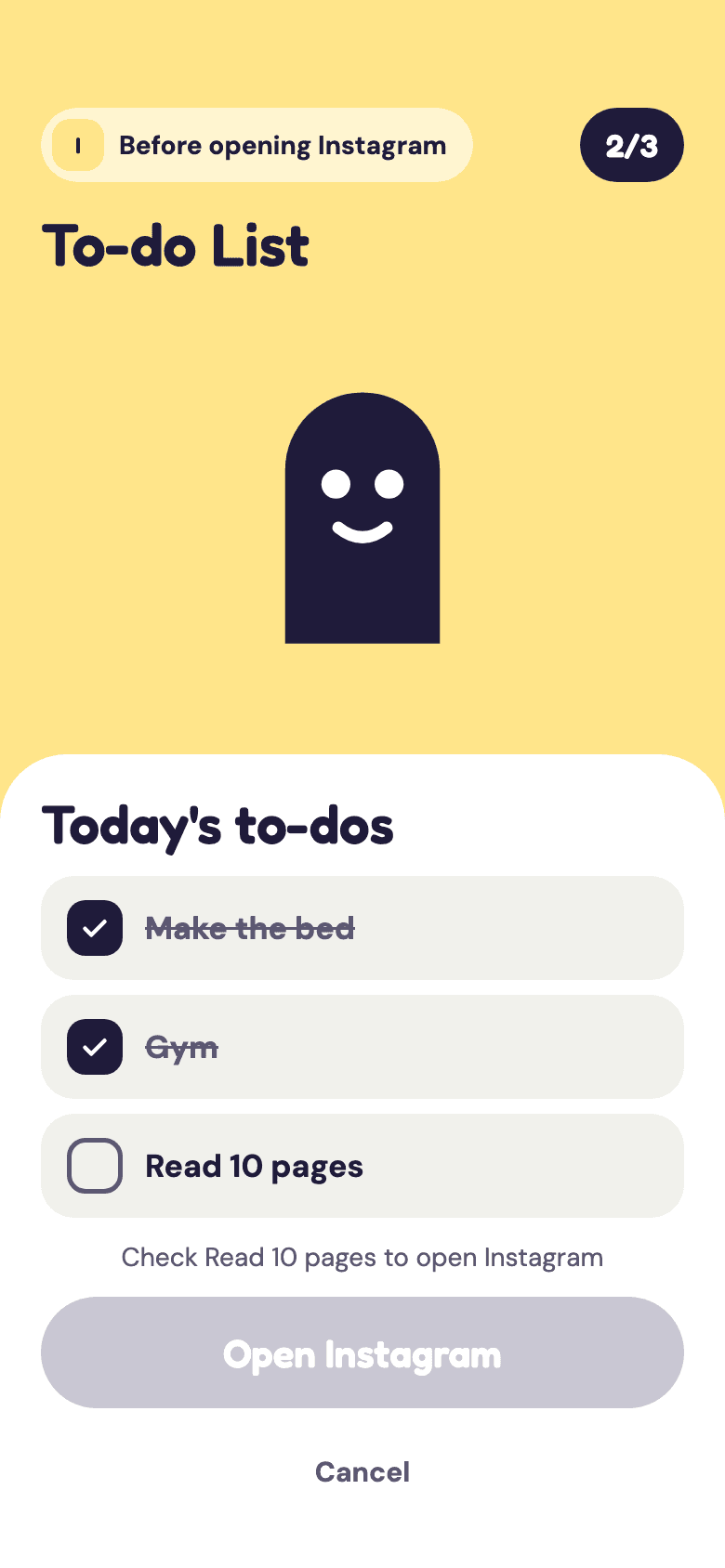
Add the things you want done each day. When you reach for one of the apps you picked, TaskGate shows today's list, and the app opens once every item is checked.
The Process
Pick the apps you open without thinking.
Choose a task per schedule, or a random one.
It steps in only on the apps you picked.
A breath, a stretch or an eye rest.
Open the app, or stay focused. Up to you.
What's Inside
Catch the open before the feed loads.
Quick tasks for mind, body and eyes.
Add tasks from partner apps like LoA.
Screen time, time saved and tasks completed, by day, week, month and year.
Schedules for the apps and hours you choose.
A streak that grows with every pause.
Partner apps add their own quick tasks. TaskGate opens the task, and the app sends you back when it is done.

Short Affirmation
A short affirmation to reset your mind before opening a distracting app.
TaskGate is open to other apps. Tell us what your task would be.
Partner with TaskGate

TaskGate is an app blocker that intercepts impulsive app opens using behavioral friction. When you try to launch a gated app (like Instagram or TikTok), TaskGate intercepts it and presents a quick mini-task instead—such as a breathing exercise, journal prompt, or flashcard. After completing the task, you can proceed to the app, but now with intention rather than impulse. This approach is grounded in choice architecture research (Thaler & Sunstein, 2008): adding small friction at the decision point changes behavior without removing options.
TaskGate offers various built-in mini-tasks including breathing exercises, mindful reflections, journal prompts, and flashcards. You can customize which tasks appear. Additionally, TaskGate supports partner apps—when selected, TaskGate opens the partner app via a deep link, you complete their mini-task, and they send a callback to return you to TaskGate and unlock your app. Most tasks take 20–45 seconds, consistent with research showing that even brief delays can interrupt automatic behavior (Verhoeven et al., 2017, Acta Psychologica).
TaskGate can integrate with partner apps using app links (Android) or universal links (iOS). When you select a partner app task, TaskGate launches that app with a special link. After you complete their mini-task, the partner app sends a 'task complete' callback link back to TaskGate, which then grants access to your originally requested app. It's seamless and automatic. This leverages the same principle as implementation intentions in behavioral science: pre-deciding the alternative behavior when the habitual cue occurs (Gollwitzer, 1999).
Yes! You have full control over which apps get 'gated.' Most users gate social media apps (Instagram, TikTok, Facebook), streaming apps (YouTube, Netflix), and games—but you can select any app that triggers impulsive usage. Productivity apps can remain ungated. The average person checks their phone 96–186 times per day, and many of those checks are under 30 seconds—pure reflex rather than intention. Gating your highest-leverage targets is more effective than blocking everything.
Only if you ask it to. By default, TaskGate adds a small 'speed bump' by requiring a quick task before access. This creates a moment of conscious choice: do I really want to open this app right now, or should I redirect my time? Many users find that after completing a task, they naturally choose not to proceed. This friction-based approach is more sustainable than hard blocking, which research shows often leads to uninstalls when users feel frustrated (Webb, Sheeran, & Luszczynska, 2009, British Journal of Social Psychology). If you want a firmer line, you can give a schedule an open limit: a number of opens per day, week or month, or never. Once you reach it, finishing a task won't open the app until the limit resets, apart from one emergency unlock a day.
Most tasks take 20–45 seconds. The goal isn't to waste your time but to break the automatic impulse and create a moment of awareness. Quick tasks like '3 deep breaths' or 'name one thing you're grateful for' are fast yet effective at interrupting mindless scrolling. One Sec's published study with the Max Planck Institute showed that even a 5–10 second breathing pause reduced social media opens by 57%.
Absolutely! You can choose which types of tasks appear (breathing, reflection, flashcards, etc.), customize prompts, and integrate partner apps. TaskGate is designed to adapt to your personal goals—whether that's mindfulness, learning, or habit change. Implementation intentions research (Gollwitzer, 1999) shows that personalized, specific plans are 2–3x more effective than generic goals.
Yes, TaskGate provides analytics showing how often you're intercepted, which tasks you complete, and trends over time. This helps you see your progress toward more intentional phone usage. All data stays private on your device—we don't collect or sell your information. The average American spends 4 hours 37 minutes daily on their smartphone; tracking your own patterns is the first step toward changing them.
In urgent situations, TaskGate offers an 'override' option. However, using it frequently reduces effectiveness. The whole point is to break the impulse—if you genuinely need the app, a short task won't make a difference. Most users find they rarely need the override. This aligns with the concept of libertarian paternalism (Thaler & Sunstein, 2008): guiding choices without removing options.
Yes. All features are free, including partner app integrations, usage analytics, custom tasks and schedules. There is no subscription and no account.
Begin your conscious digital living journey today. Your intentional practice starts with TaskGate.